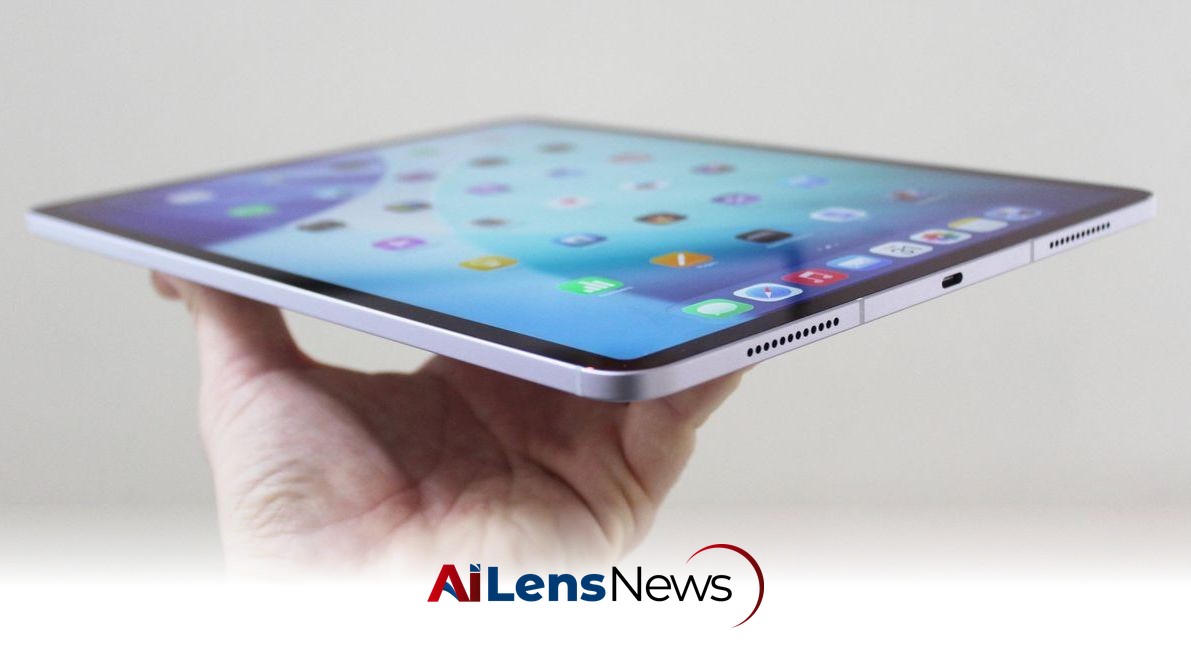


Apple's latest iPad lineup offers various models to suit different needs. This guide helps you navigate the options, including which models to avoid.
New Delhi, India Jul 15, 2026 ALN: Finding the Best iPad should be simple. You get whatever’s new, right? If only. Apple sells four main iPad models in varying sizes, each with its own strengths. In addition, a growing number of older iPads are floating around the eBays of the world. Since all these devices largely look the same, it’s important to know what you’re buying and what you should pay for it. This guide covers the iPad models currently available, what’s coming up, the key differences between them, and the older versions that are still in use (including those you should avoid at any price). I also break down which Apple Pencil and accessories to pair with your device.
Be sure to check out all our buying guides, including the Best iPad Accessories, Best iPhones, Best iPhone 17 Cases, Best Tablets, Best Android Tablets, and Best MacBooks.
Updated June 2026: I've included information on the new software release, iPadOS 27. I've also added some extra context on future iPad releases and a new iPad accessory I tested.
Which iPad Do You Own?
There are tons of iPads out in the world, and it can be tough to figure out exactly what model you own if you're thinking of selling it or you're looking for accessories and want to make sure they'll work with your iPad. Apple also doesn't name its slates sequentially as it does with the iPhone, only adding to the confusion. No matter. Finding your model is simple.
Accessory makers usually indicate which iPad a case, folio, or keyboard cover is designed to work with. If you see a retailer mentioning a specific generation or processor, this is Apple's current lineup:
Is Now a Good Time to Buy?
Yes. The iPad Air was updated to the M4 in March of 2026, while the base iPad and iPad Pro were both refreshed in 2025. Most people should buy one of those, and they're perfectly great options. There were initial reports that the base iPad would get updated this spring as well, moving up to the A18 chip to give it Apple Intelligence features for the first time. It didn't come to fruition, though, so the next likely launch time is this fall.
Apple's iPad Pro, powered by the M5 chip, launched in October 2025; it's the most recent model. You can either opt for the latest or find the M4 iPad Pro on sale. At the earliest, we'll see the iPad Pro get updated alongside the M6 chip this fall. Some reports have indicated that the M6 may get delayed until 2027, which would also delay the iPad Pro.
Lastly, the iPad Mini is the oldest at this point, updated in late 2024. If the reports end up being true and the iPad Mini does get upgraded later this year, this will be the biggest iPad update of the year, as it would see an upgrade to OLED for the first time.
iPadOS 27 Finally Takes Siri Seriously
iPadOS 27 was announced at WWDC, and the focus was all on Siri. It introduces not only a dedicated Siri AI app based on the world knowledge and context of Google Gemini, but also highly improved integration with apps like Camera, Mail, Photos, Messages, Calendar, and more. The most interesting of these AI features is Shortcuts, which now lets you create an automated task using natural language that can trigger actions across multiple apps.
It also refines the highly controversial Liquid Glass redesign from last year's iPadOS 26, adding a slider in Settings to change the opaqueness of the transparency. Other notable changes in this year's upcoming software update include faster, more efficient performance, user-made Custom Extensions that can be created through natural language, custom EQ with AirPods, dramatically extended parental controls, and lots more. Here are the iPads compatible with iPadOS 27:
The public beta for iPadOS 27 will be out in July, with an official release coming this fall. The current version of iPadOS is iPadOS 26, which officially arrived in September 2025 and brought a whole new multitasking experience: windowed apps. Like a Mac, you can now resize apps on your iPad and have multiple floating windows, bringing it closer to a desktop-like experience than ever before.
Avoid These iPads
The iPad Mini 1 through 6 and iPad 1 through 10 have low-resolution, pixelated screens or are just too old. Forget buying one of the old 2014 iPad Air 1 or 2015 Air 2—those are too long in the tooth. Just don’t. Yes, money is tight, but your sanity is important. There’s a chance an older iPad could perform decently, but unless someone is giving you one for free, try to hunt for a newer model. Many of the older iPads no longer receive software updates, and they'll seem quite slow compared to your phone and your computer. I would avoid purchasing an iPad that came out before 2020.
Peruse our Best Tablets or Best Android Tablets guides for ideas if you don't want to spend a lot. If you’re buying something for a child to use, our Best Kids' Tablets guide has good options with kid-friendly features and parental controls.
Should You Buy an Older iPad Pro?
Apple has always packed a little extra into its iPad Pro tablets. It's still totally fine to buy the iPad Pro M4, iPad Pro M2, or the iPad Pro M1 if you can find them, but just make sure you're not paying close to MSRP. If it's close to what you would pay for a brand-new M5 iPad Pro, it's not worth it. These models are all powerful and match the current Pro slates in many ways; they also work with the first-generation Magic Keyboard with Trackpad. But again, cross-check prices with current models.
Older iPad Pro models, like the models from 2018 or 2020, are not worth buying (if they're even available). They're just too old.
To learn more about the latest developments in Product Innovations, stay updated with our exclusive reports and analyses on AiLensNews.